Açıklama
**There are two versions of this mod! One with the custom VO and one without.**
**The regular download is WITH the VO. If you want the version without it, you can find it in the downloads section!**
**It is advised to set your Voice Volume in game a bit higher when playing with this mod. Technical constraints cause the modded lines to be a bit more silent than the regular ones**
**<u>Overview</u>**
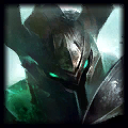
Modifies Mordekaiser Base Skin
Gives Mordekaiser a Hextech Chest themed skin
Replaces all Loadscreens and Icons
Changes Effects of most Abilities
Custom Ability Icons
***
**<u>Credits</u>**
Model, Effects, SFX and Texture work by Snorr
Voiceover Work by C.Fodd. Listen to the full voiceover [HERE](https://www.youtube.com/watch?v=ngPeL44mbCg)
Additional Texture work by budlibu500 and Sauronkaiser
Hextech Chest model by [Thuy Chau on Sketchfab](https://sketchfab.com/3d-models/hextech-c37c9be352d94870a802888e9dccac98)
Hextech Key model by [Duker on Printables](https://www.printables.com/model/57038-league-of-legends-hextech-key)
***
**<u>Install instructions</u>**
\- Download the version you want and run it with cslol, make sure to only run one of them at the same time
***
If you find issues with the mod you can contact me on Discord: snorr\_
 Mordekaiser