Açıklama
Replaces the announcer with Battle Bear Braum.
Voice: Tyler Pasquarella
Writer: RoyalEnigma
Art: Khairul S
Battle Bear Braum custom skin mod: BeardedShepherd
There are two versions: one for Summoner's Rift, and the other for Final City. Rather than make two separate mods and clutter the mod list, the SR version can be downloaded from here while the Final City version can be found through the links below to the Anima Squad Rift mod and Google Drive:
Anima Squad Rift: [https://runeforge.dev/mods/9e14db78-ec38-43f2-b6e0-db80c193452b](https://runeforge.dev/mods/9e14db78-ec38-43f2-b6e0-db80c193452b)
Google Drive: [https://drive.google.com/file/d/1Cg79FFSMOwyKILpJc3d13SRWRnBRGAwo](https://drive.google.com/file/d/1Cg79FFSMOwyKILpJc3d13SRWRnBRGAwo)
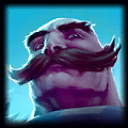 Braum
Braum