Açıklama
Important note: if this mod has visual bugs, try our autofixer (Available in the Runeforge official discord). If the bugs persist, please comment it to the author by DM or in the same discord so it can be put in the manual fixes list.
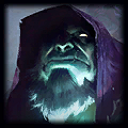
Base champion: Yorick
Modified Skin: Pentakill III: Lost Chapter. All chromas supported.
Author: Sauronkaiser
Description: Yorick Pentakill III, but he has the actual hat on his head.
Features:
-CRL+5 Toggle for the hat
-A hat!!!!
-New dark custom chroma for non-chroma skin inspired in the first arts of the pentakill III album
-New loading screen
Sources:
-This was my first custom skin! Special thanks to all the League custom skins community that built the path so new people can come and make mods!
Also, special thanks to Nyht for discovering the CRL+5 toggle tech added afterwards to this one mod.
Legacy Changelog:
-14/9/2021: First official release.
-23/03/2022: Added version with all chromas.
-01/11/2022: New animations, functional recall and new sub-versions.
-04/08/2025: removed alternative versions and animations, only a new joke animation is added. Added support for CRL+5 to toggle the hat.
Sources:
This was my first custom skin!
Special thanks to Nyht and YummAI for discovering the way of doing a crl+5 and helping with the code.
 Yorick