Version 3.1.3 · latest
Get Autrex,
Get Autrex,
focus on the game
Auto accept, champion select, skin changer and remote control from your phone — installs in two minutes, updates arrive on their own.
Pick your platform
One license works on both platforms.
Windows
Windows 10 and 11 · 64-bit
4 GB RAM
500 MB disk
League installed
If SmartScreen warns you, click More info → Run anyway.
macOS
macOS 12 Monterey or later
Apple Silicon · Intel
4 GB RAM
League installed
Seeing a "damaged" warning on first launch? The file is fine — one-command fix →
Ready in three steps
1
Download & install
Run the installer on Windows; on Mac drag Autrex into Applications.
2
Enter your license
Your key is in your dashboard. No key? Grab a free trial in seconds.
3
Open League
Autrex finds the client and connects on its own. Turn on your rules and let it handle the rest.
What's inside
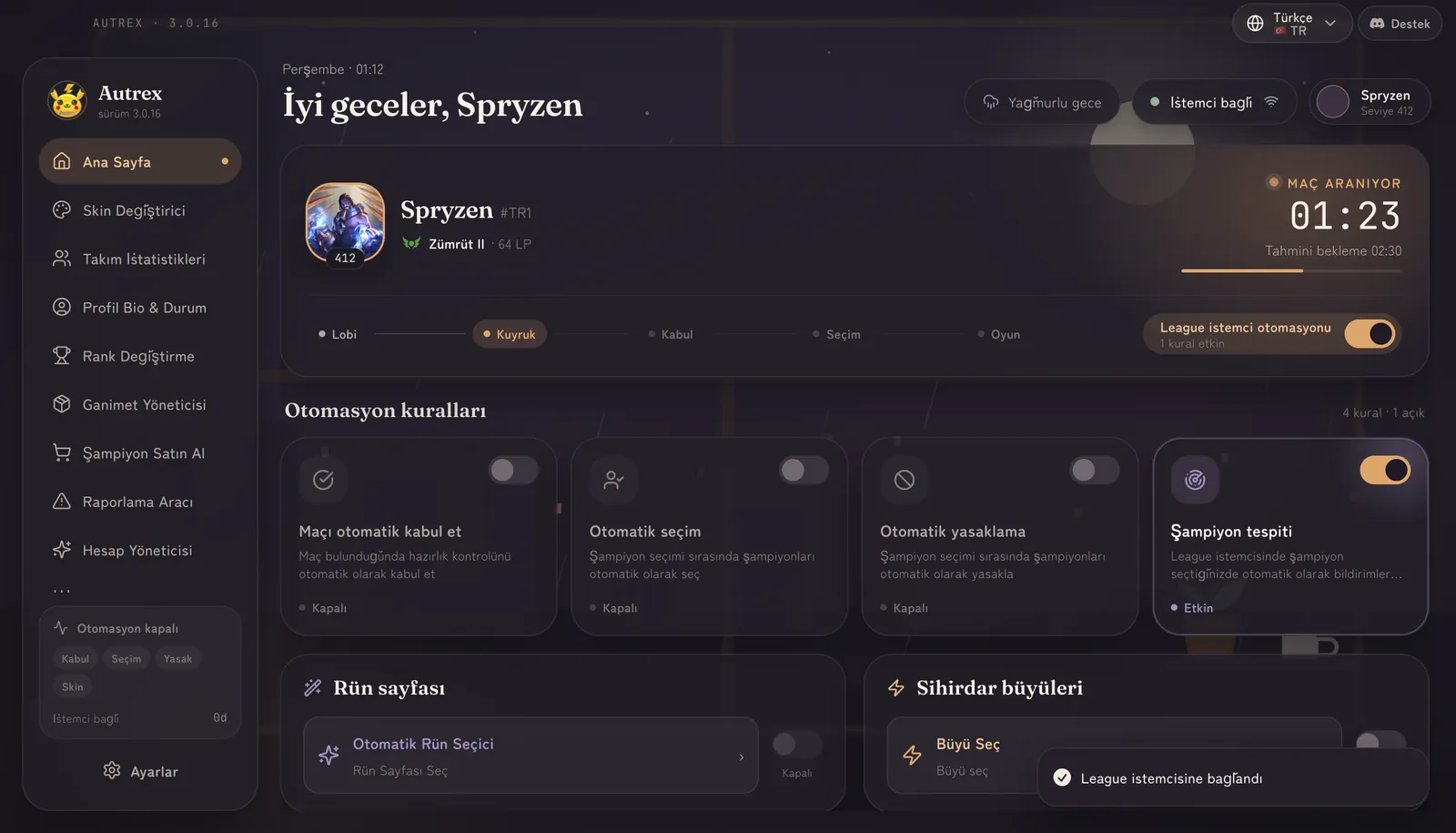
Live dashboard
Queue time, ready check and champion select on one screen; rules switch on with a tap.
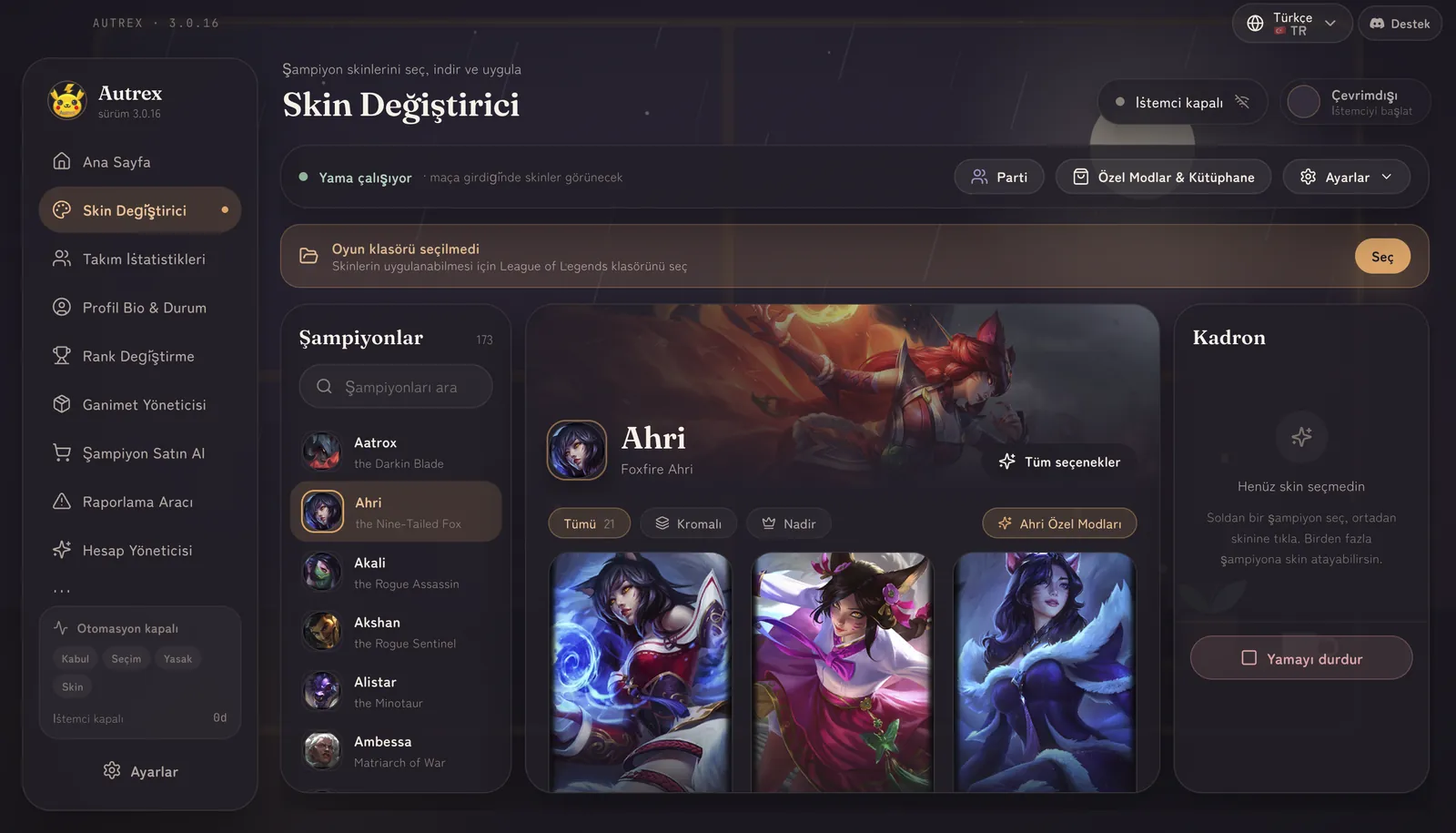
Skin changer
Every skin and chroma for every champion; applied automatically as the match starts.
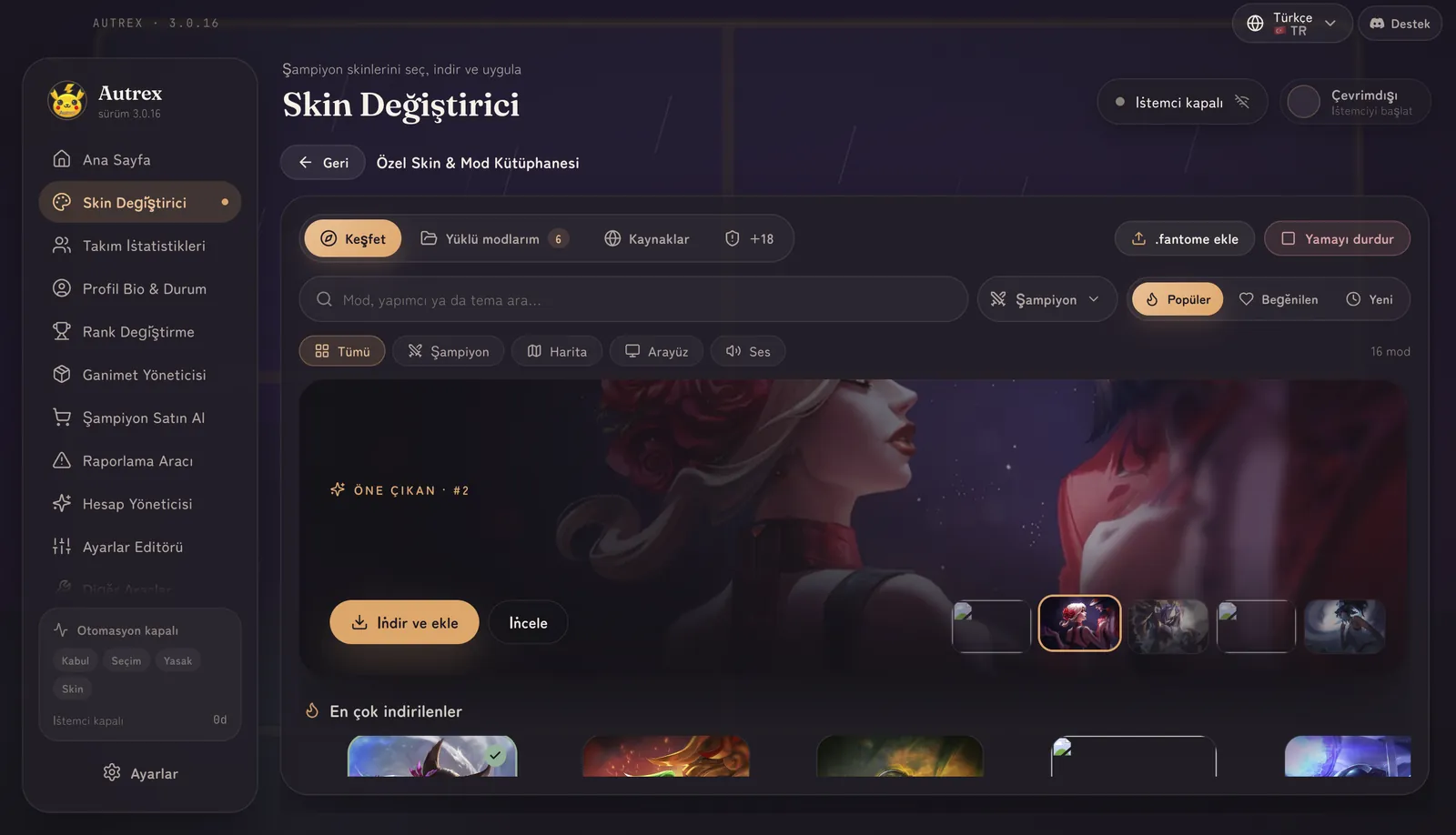
Mod library
Thousands of community mods — skins, maps and HUDs. Find it, install in one click.
Requirements & setup
System Requirements
Windows 10 or 11 (64-bit)
4 GB RAM
500 MB free space
League of Legends must be installed
Installation Steps
01
Run the downloaded file
02
Follow the installation wizard
03
Enter your license key
04
Launch Autrex and open League of Legends
System Requirements
macOS Monterey (12) or later
Apple Silicon (M1+) or Intel — a native build for each
4 GB RAM
League of Legends must be installed
Installation Steps
01
Double-click the .dmg you downloaded
02
Drag Autrex into the Applications folder in the window that opens
03
Open Terminal and run the command below once
04
Open Autrex and enter your license key
macOS: "damaged" error on first launch
The first time you open Autrex, macOS may say "Autrex is damaged and can't be opened." The app is not damaged — macOS flags every app that comes from the internet without an Apple certificate. The command below removes that flag, and you only need to run it once.
- Make sure you have moved Autrex into your Applications folder.
- Open Terminal (press ⌘+Space and type "Terminal").
- Paste the command below and press Enter.
- Open Autrex. You will not need to do this again.
xattr -cr /Applications/Autrex.app
If the command finishes without printing anything, it worked. Note: System Settings > Privacy & Security > "Open Anyway" does not help with this particular error — that button only appears for the "unidentified developer" warning. You do not need to repeat this after updates; Autrex clears the flag itself when it updates.